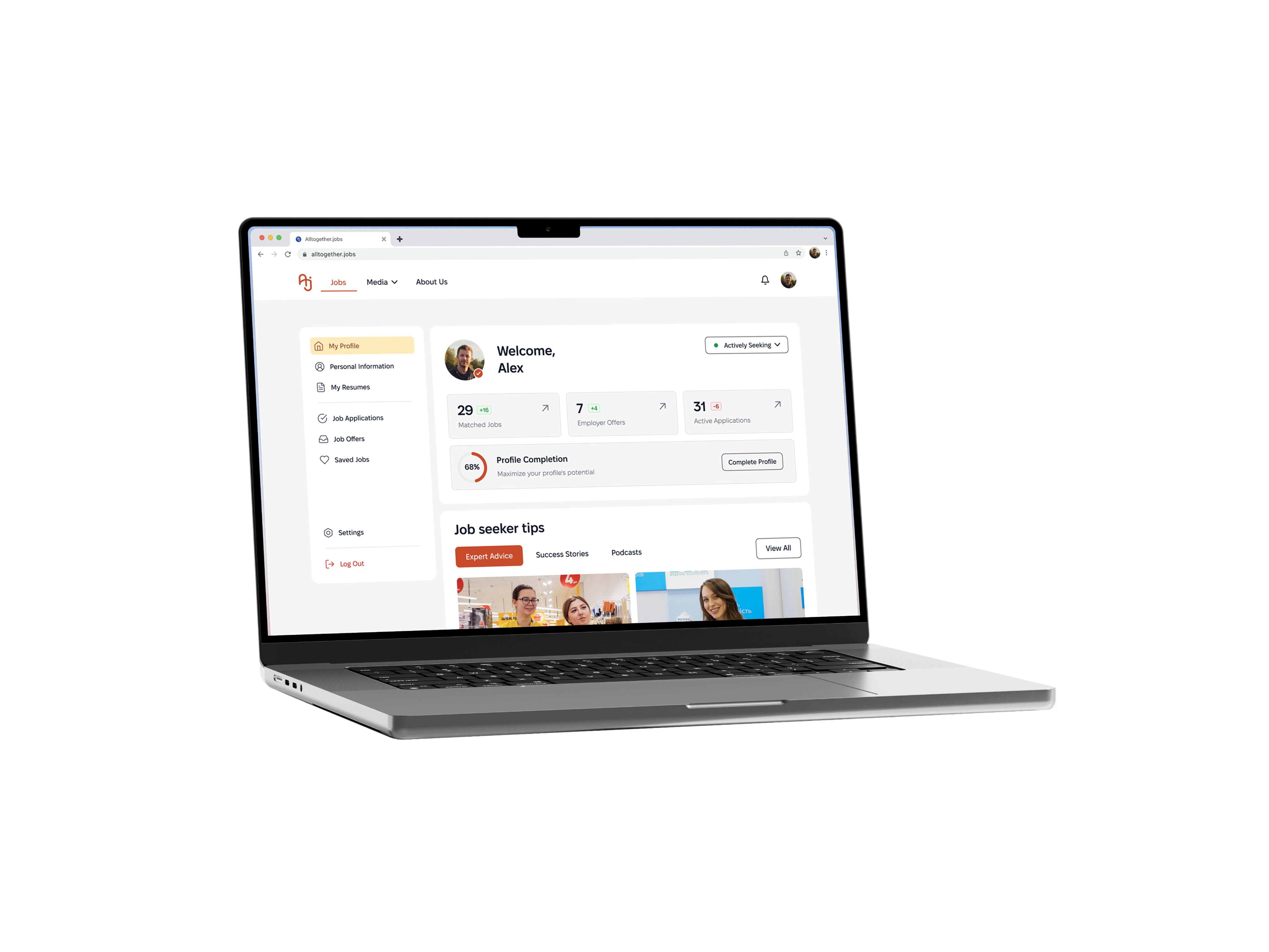
HR Tech
Inclusive Design
Accessibility
B2C/B2B
Inclusive AI-Driven
Hiring
Platform
In Ukraine, millions of people — veterans, people with disabilities, IDPs, mothers returning to work face structural barriers to employment.
I helped design ATJ: an inclusive hiring platform that embeds fairness into the product's foundation not
as a feature, but as the architecture itself.

CONTEXT
A Ukrainian organization building an ecosystem to connect inclusive employers with diverse candidates. What existed before: educational content, DEI audits, webinars, corporate training. What didn’t exist: a product that could scale this mission.

MY ROLE IN TEAM:
User interviews;
Jobs Catalog page;
Job Card component;
Presentation to stakeholders.

IMPACT:
65
Pains
points
10
In-depth
interviews
6
Customer
Journey Maps
16
Core
User flows
RESEARCH:
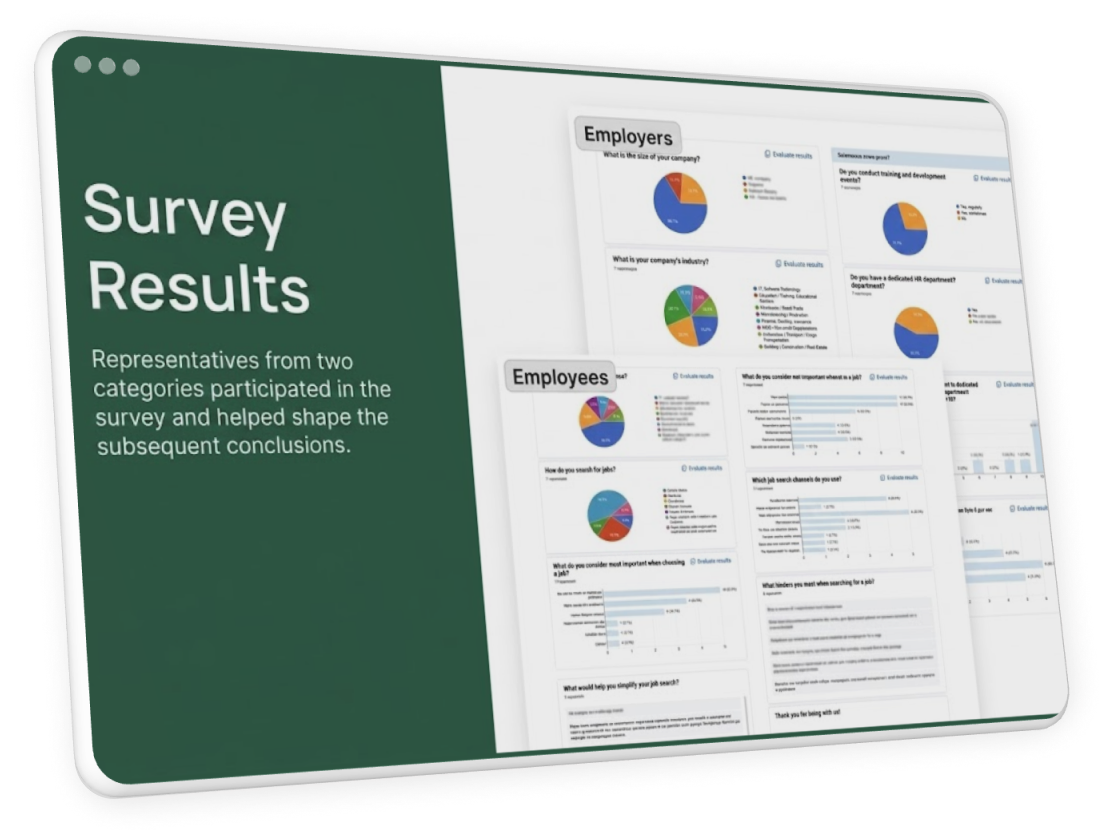
I DIDN’T STUDY USERS, I LISTENED TO PEOPLE. Before opening Figma — I conducted and documented interviews with people from vulnerable groups. The market changed faster than the tools. DEI culture is becoming a critical necessity for Ukraine’s workforce.

Veterans Unemployment Rate
1.3M+
30%+
unemployed
Unemployment Among IDPs
5M
15%
unemployed
Employment Rate
of People with Disabilities
15–18%
are employed (vs. up to 50% in Europe).
Nationwide Talent Shortage
75%
of employers face a constant
workforce shortage.
Nationwide Talent Shortage
27%
of people over 50 are employed.
Nationwide Talent Shortage
56%
of unemployed IDPs are women
Unemployment by Personal Choice
4%
of non-working people say it’s by choice
THE INSIGHT CHANGED EVERYTHING
Standard platforms expect employers
to become inclusive on their own.
Candidates with specific needs must open every job to check accessibility conditions.
The issue is not bad intent. It’s that the system doesn’t make inclusion visible before first contact.
Solution: make inclusion structural, embedded into every touchpoint, not an optional add-on.
Alexander Savchuk
Military veteran




Finding ways to apply your skills in civilian life. Prejudiced attitude on the part of employers
Kateryna Lubarska
Mom after
maternity leave
Lack of flexible offers on the market. Discrimination and prejudice against mothers
Anna Dubinska
Person with a disability


Research workplace accessibility needs. Employer distrust or condescension
PATTERN I SAW:
The problem is not a lack of candidates or willing employers. The problem is the structure of interaction — biased at every step before first contact. This insight changed everything. Inclusion cannot be a feature. It must be architecture.
Key MVP Сontribution

Onboarding
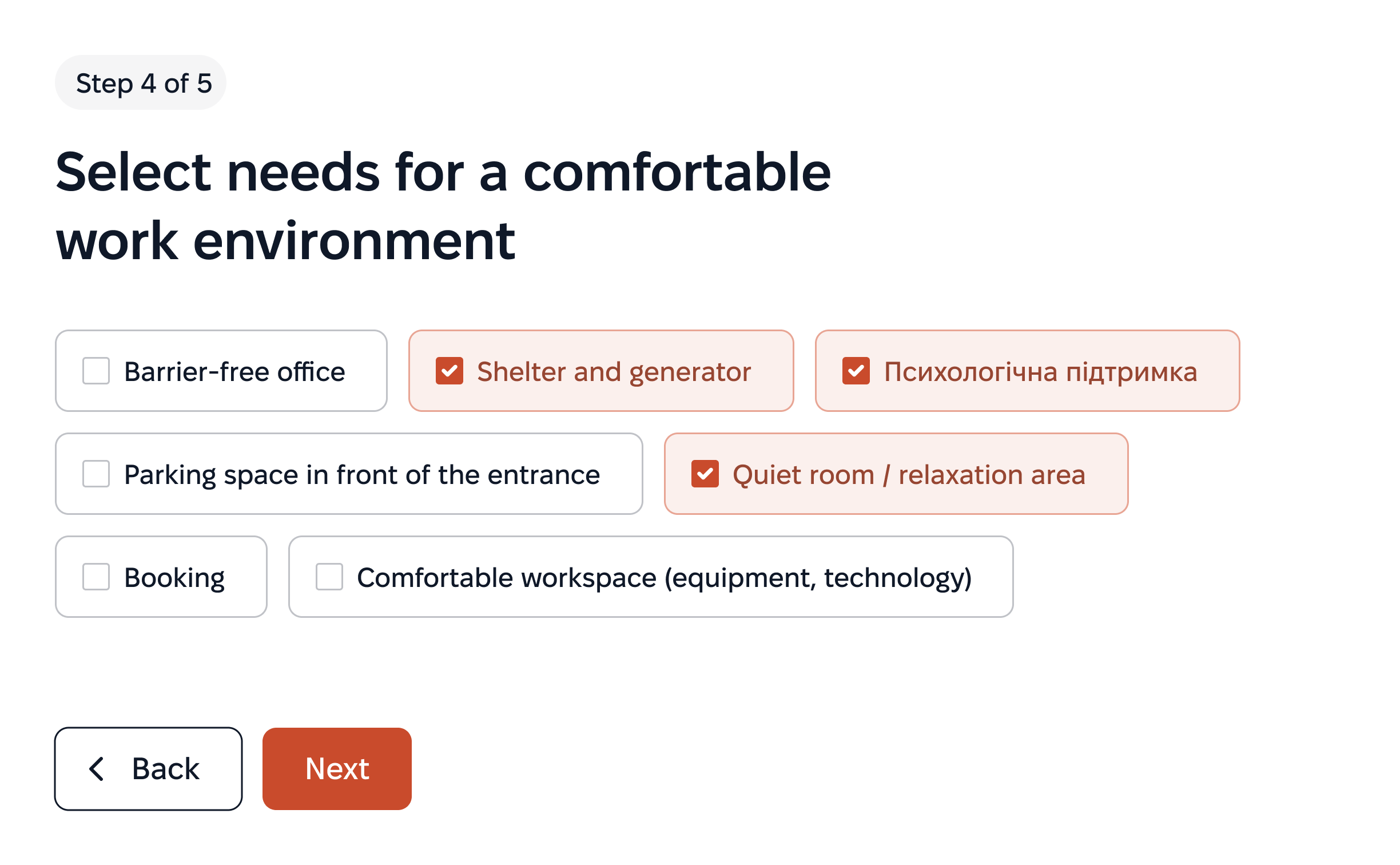
During onboarding, the user selects the criteria that matter most to them:
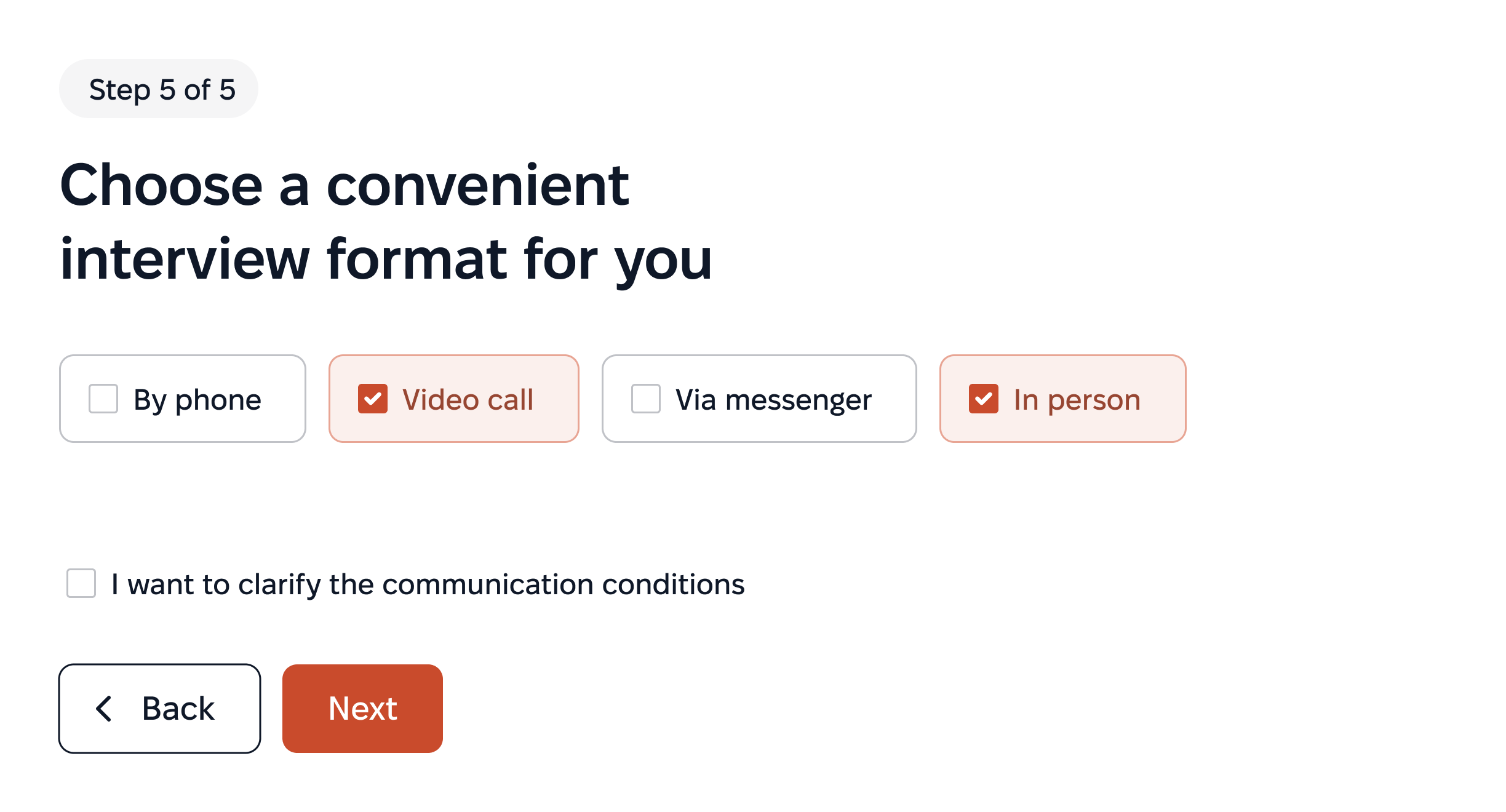
The system matches vacancies based on experience, skills, and needs.
Candidates choose their preferred communication method for better interactions.
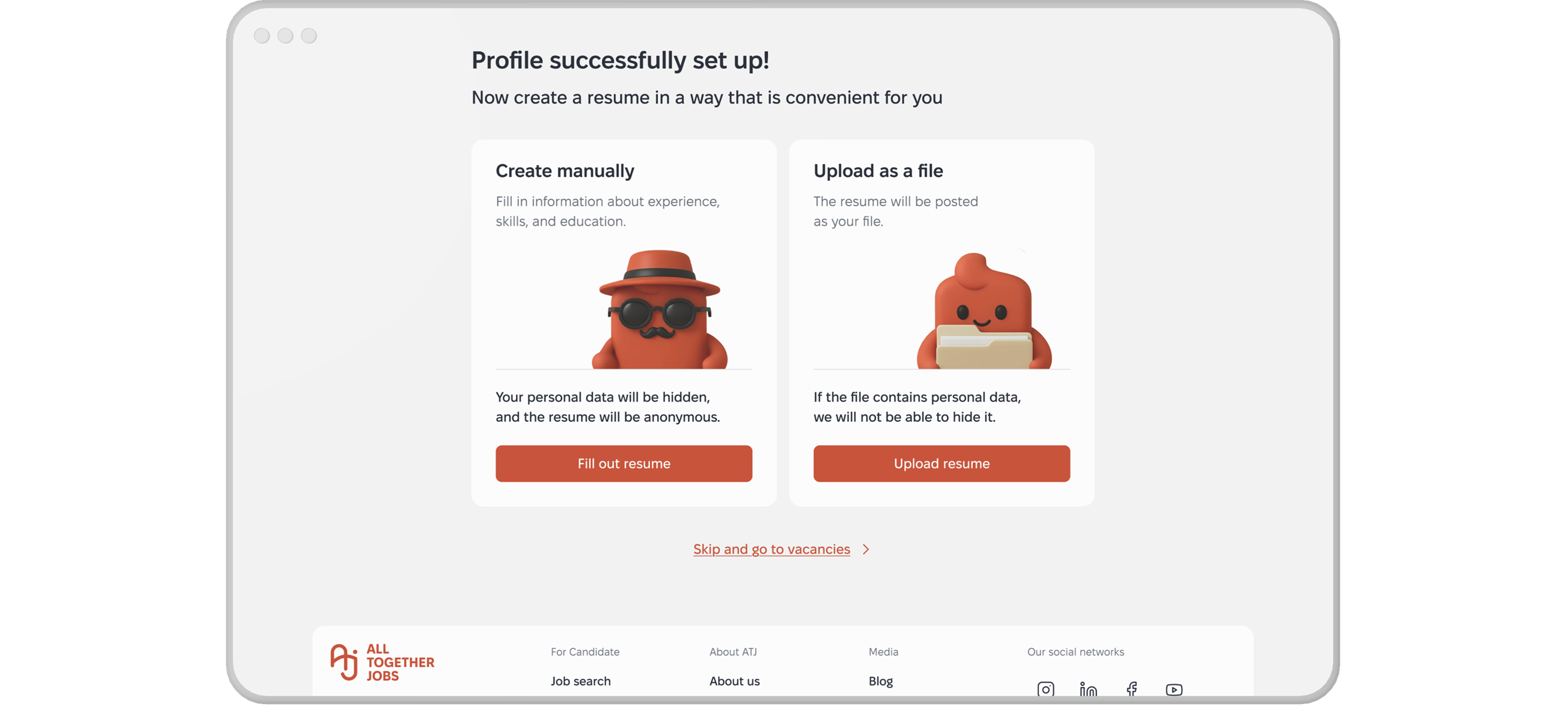
They can create or upload a resume, completing onboarding simply.
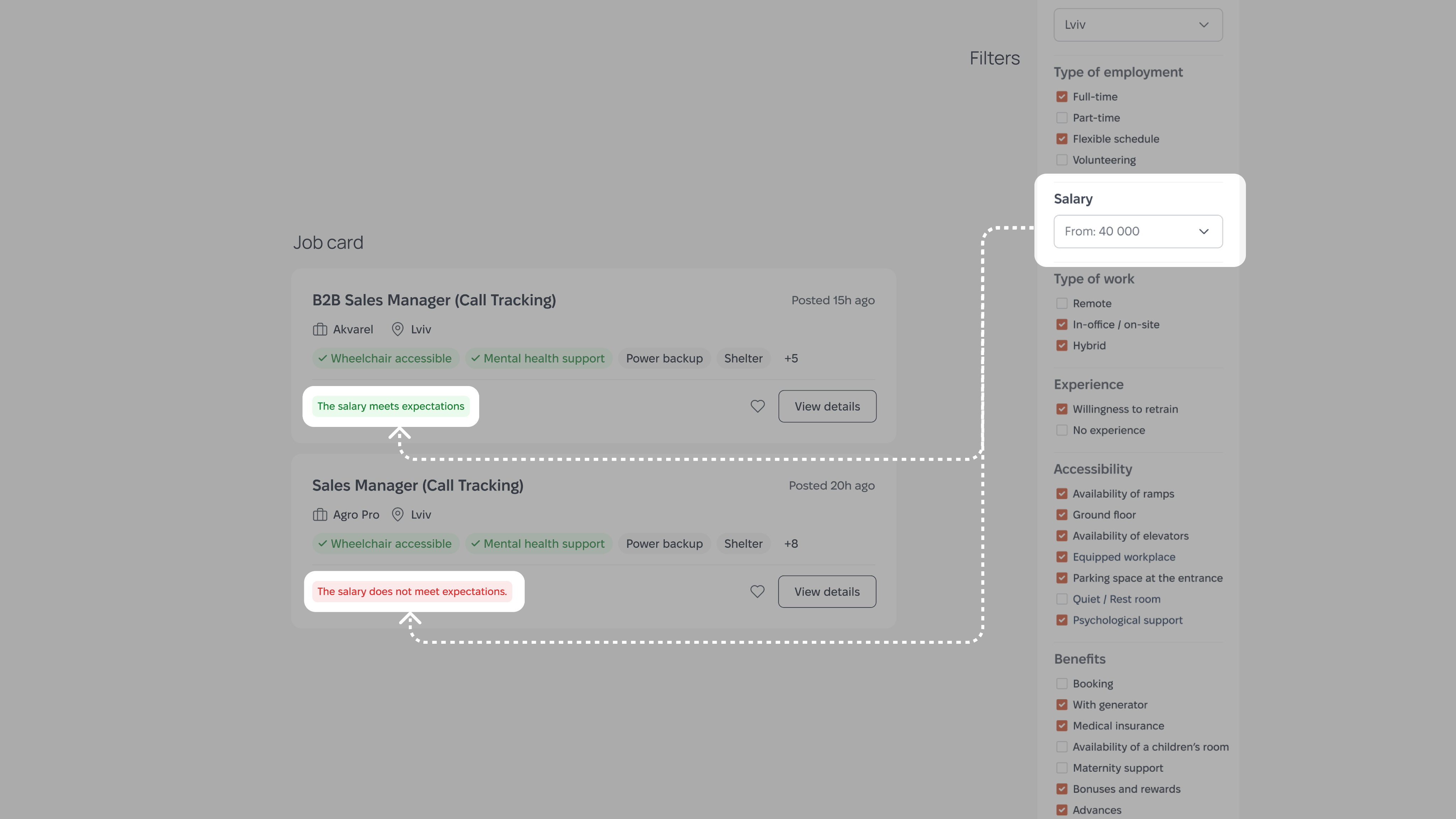
Personalised Filters
Employers set a real salary range, even if it is hidden from view.
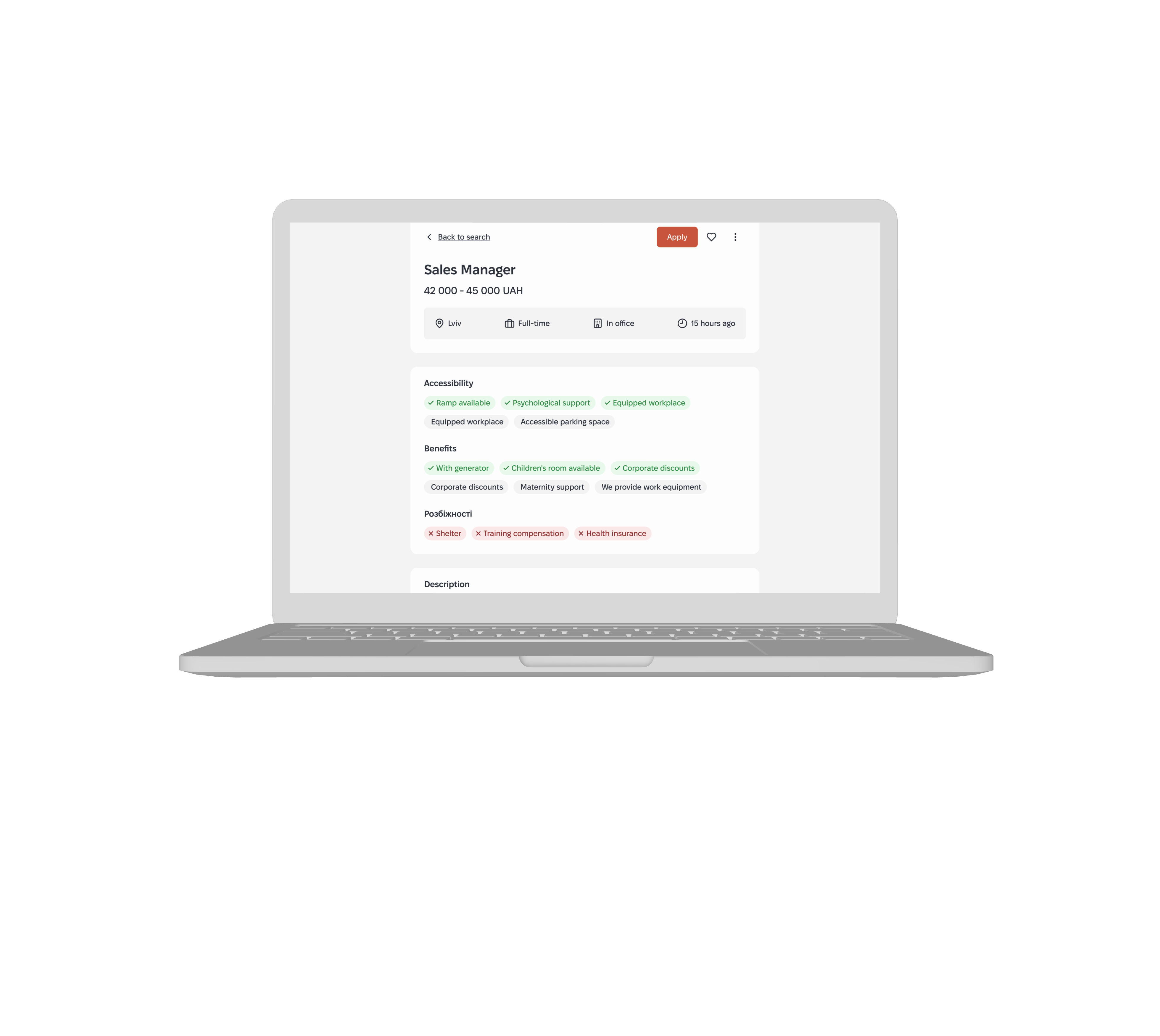
Inclusive Benefits — Clear, Honest Accessibility
We highlight benefits and accessibility. Candidates grasp real conditions without assumptions.
My contribution:
This was my main area of responsibility — the central search experience where all product decisions come together.
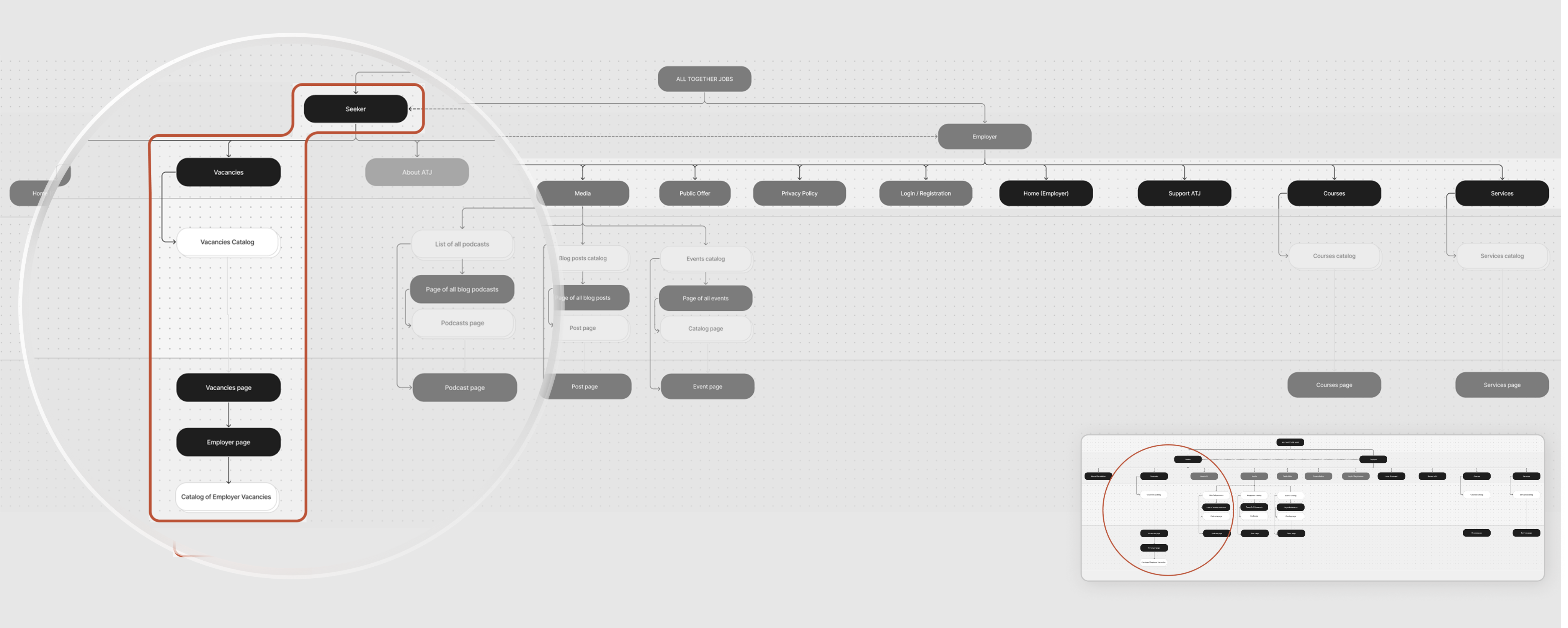

Primary Focus:
Managed the "Jobs Catalog" the core search experience where all product decisions converge.
Accessibility Tags:
Tags are placed directly on the job cards rather than hidden, helping candidates quickly narrow down to relevant ones.

Dynamic Card:
Cards instantly adapt to user context, acting as a micro feedback surface without requiring extra navigation.

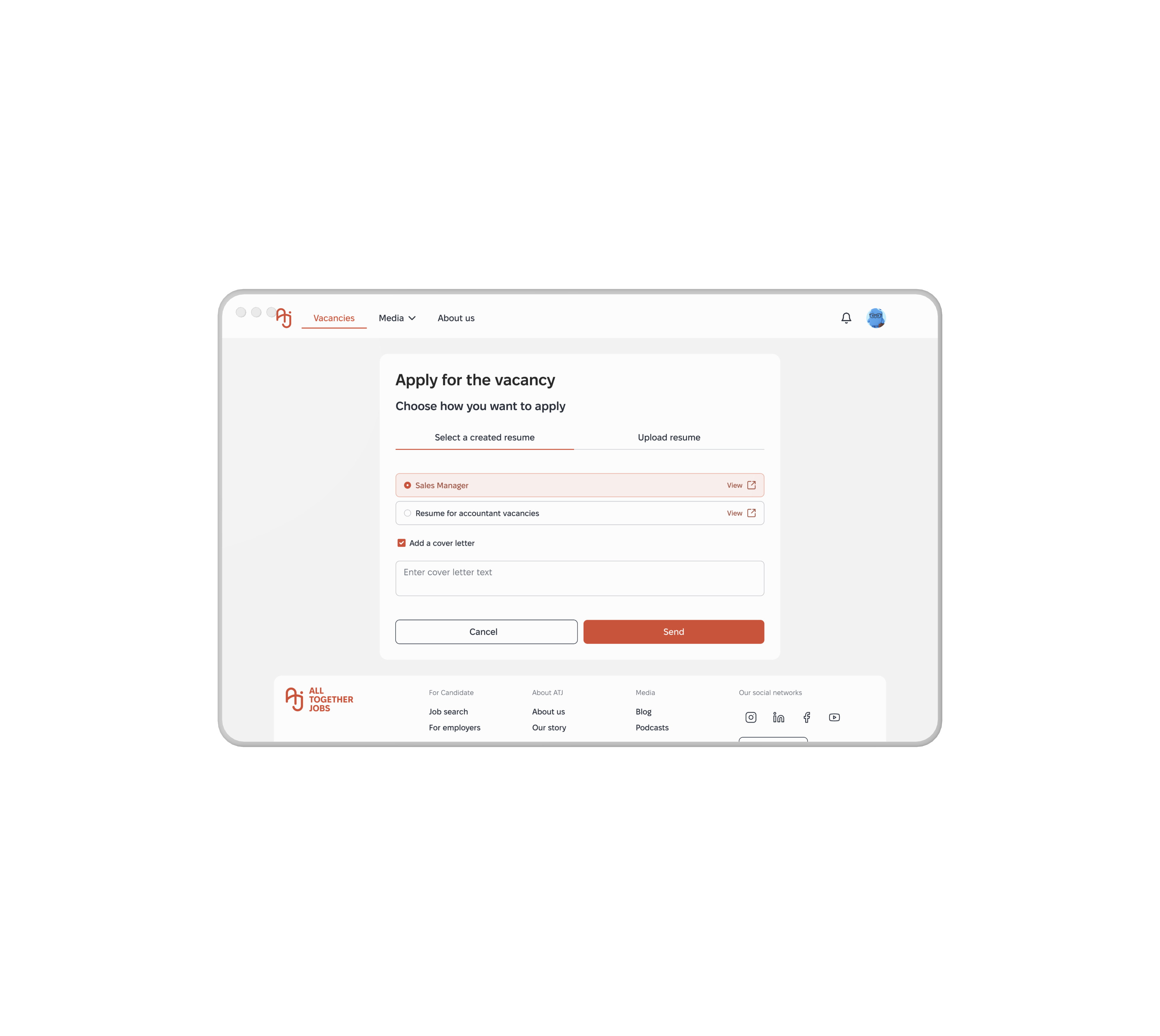
CV Selector:
Candidates can switch
CV versions during the application, accommodating varied profiles like career changers and veterans.
Matching by Smart Filters
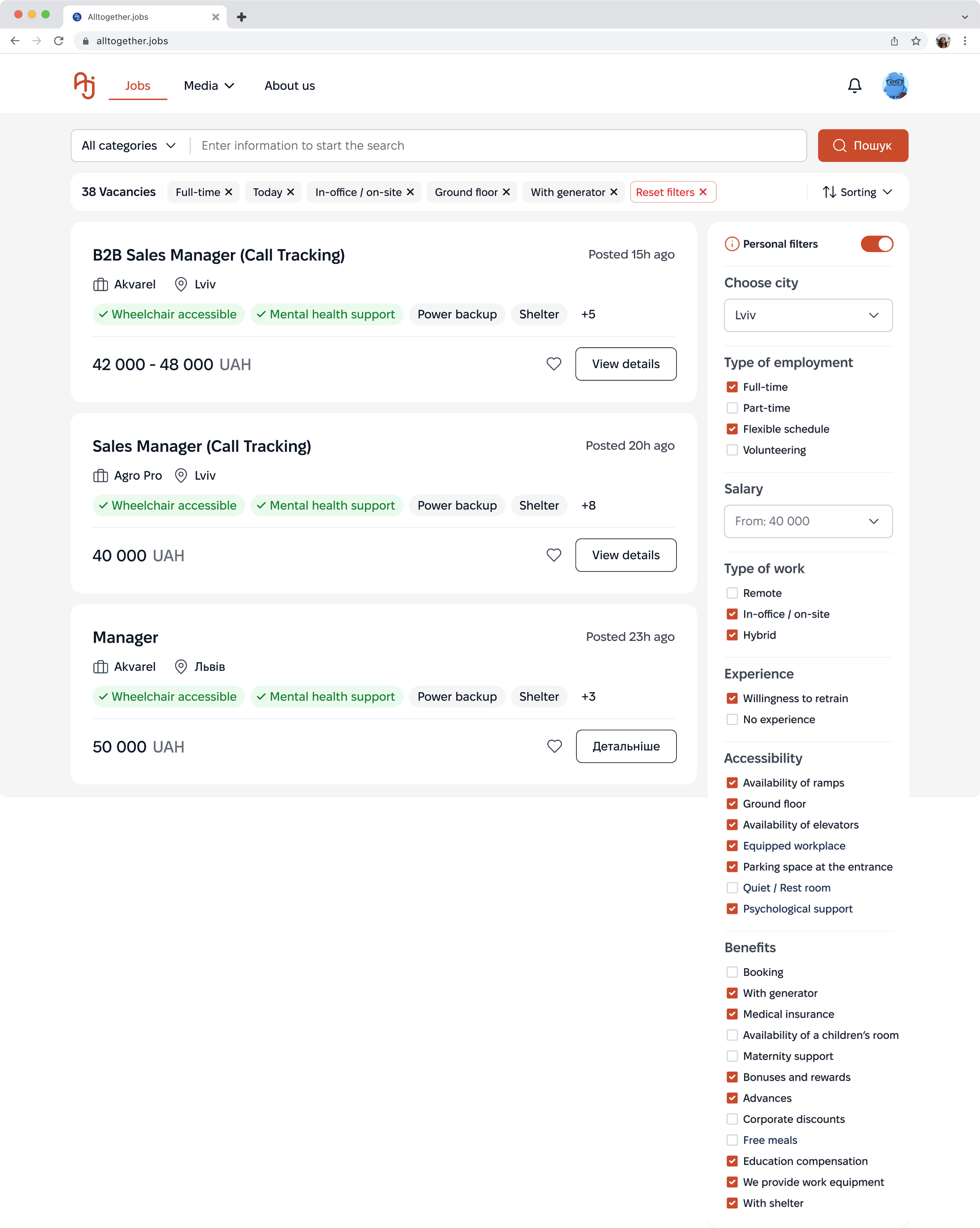
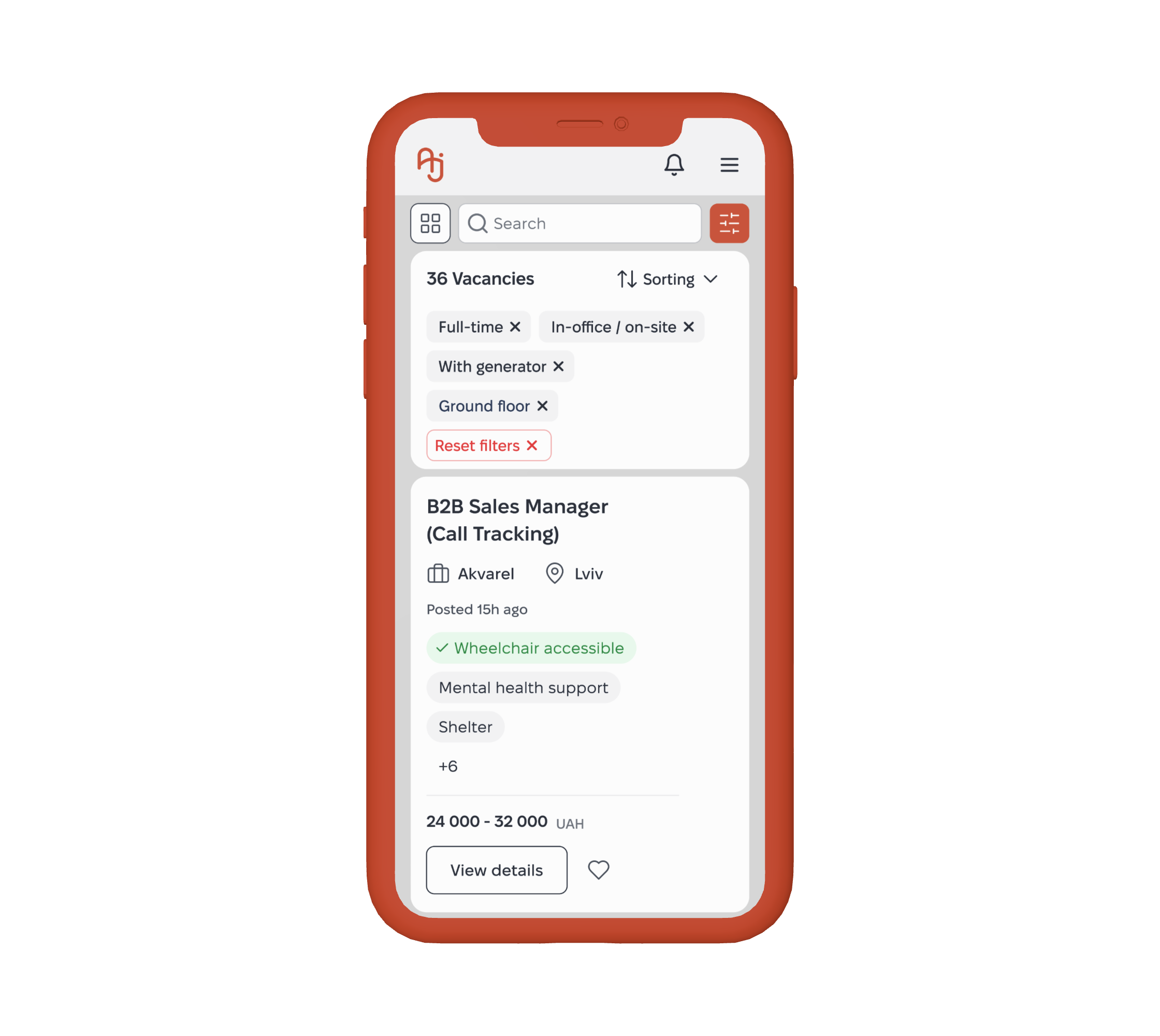
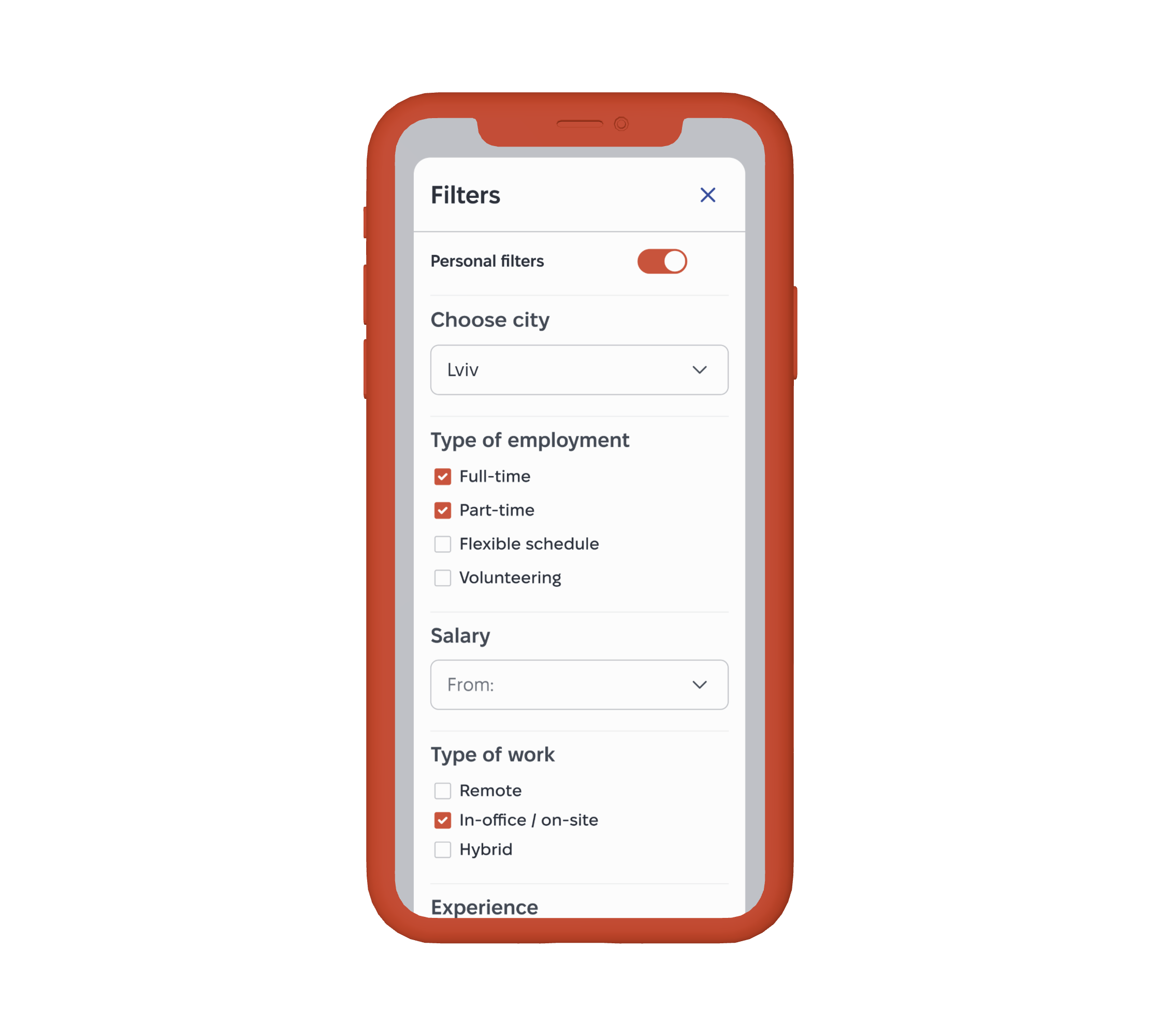
The Jobs page serves as a central search hub, where smart algorithms, accessibility filters, and transparent job cards collaborate to create an environment of equal opportunities. The filtering system enables job search not only by skills but also by environmental conditions.
Users can tailor the search to their physical and mental needs.
A personalization option is also available: when enabled, filters automatically adjust based on the candidate’s profile and CV data.
The Problem:
Standard filters are typically limited to salary, location, and basic professional criteria. People with disabilities or specific needs often have to manually review hundreds of vacancies to find ones that offer features such as ramps, shelters, or other required conditions.
The Solution:
A detailed sidebar with Accessibility and Well-being categories turns specific needs (such as “Quiet office” or “Barrier-free access”) into primary search criteria, effectively filtering out irrelevant job offers.
Educational Context:
The filters also serve an educational purpose: expanded categories help candidates discover inclusive options they may not have known about or felt comfortable asking for.
Visible Salary
Hidden Salary
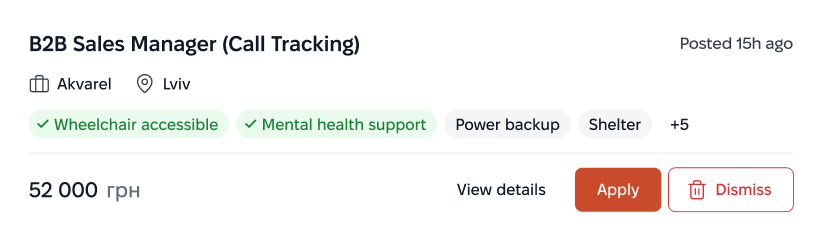
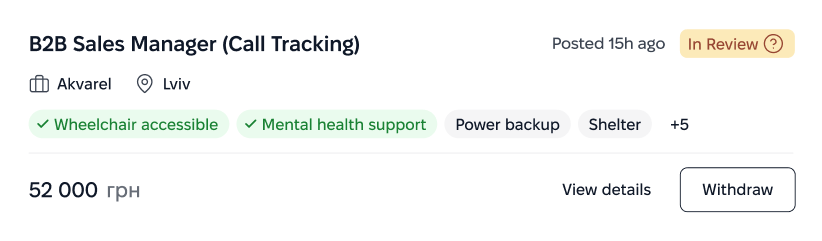
Applied Status
Recommended
Job Card
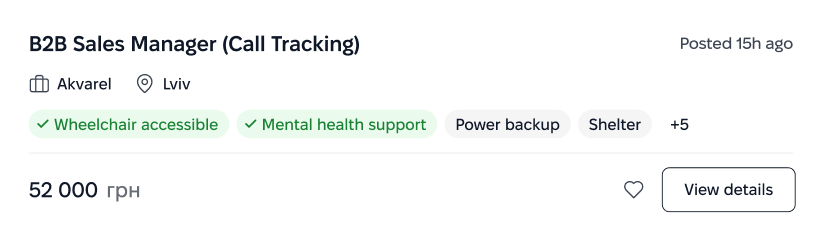
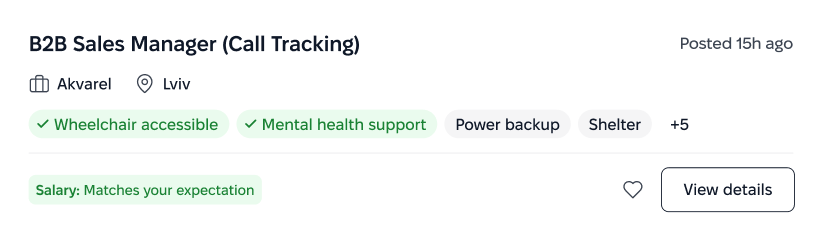
The card is designed so candidates can instantly grasp the essentials: the role, inclusivity match level, accessibility options, benefits, and financial compensation.
The Problem:
Standard job cards are often “silent” about accessibility conditions. Candidates are forced to open each vacancy and read long descriptions to find out whether a ramp or
a quiet space is available, wasting time on irrelevant offers.
The Solution:
Accessibility Tags are placed at the top level as mandatory attributes. Combined with transparent salary and work format, this allows candidates to evaluate a job without extra clicks.
Dynamic States:
The cards are adaptive and visualize interaction
status (such as “Applied” or “Interview”), giving users immediate feedback on their application progress.
Other impact screens
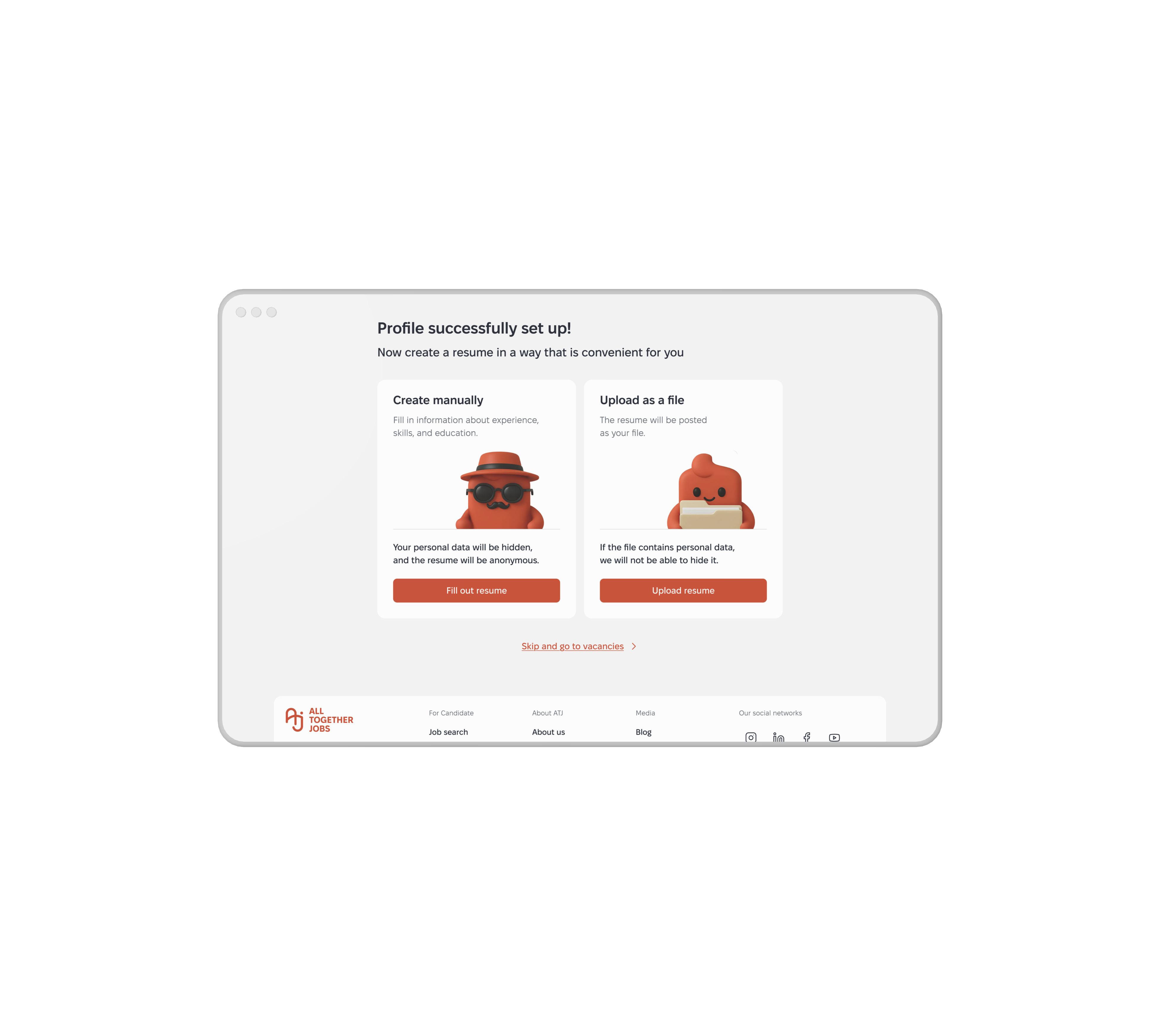
Create CV
at Onboarding
Your personal data will be hidden, and the resume will be anonymous. This isn't fine print at the bottom. It’s the very first thing a candidate sees when creating their profile.
Job Page with
Accessibility Tags First
Know before you click. Decide before you apply. Accessibility features aren't hidden
in a dropdown, buried in the description,
or tucked away below the fold. They are
front and center on the first screen. Period.
CV Selector
Apply with the right version of you. The candidate chooses which resume version to submit—Sales Manager or Resume for accountant vacancies. No "one size fits all" here
Mobile Adaptations
The entire design was also adapted for mobile and tablet screen sizes. However, research showed that a significant portion of user attention remains focused on the desktop version.
FINAL IMPACT
What we delivered wasn't a set of screens. It was a hiring system where fairness is structural — built into every filter, every card, every touchpoint.
Ready for development. Ready to scale. Ready to matter.
Project Artifacts & Live Process:
Team Case :
Medium Article: All Together Jobs Case StudyDiscovery/Define:
Figma Jam LinkJobs Catalog page (My focus):
Figma Layout Link

Olga Novykova
СЕО & Founder
We worked with Roman on the Alltogether.jobs project, where he led the UI and UX design
for our platform. Roman conducted in-depth user research, helped structure complex information, and translated it into a clear product vision. He designed the system architecture and
a thoughtful design system, which we are now actively implementing. We highly recommend Roman as a professional who deeply understands business needs and delivers effective solutions.

View

Ready to architect your next product?
Open for complex challenges and leadership roles.
Select time to call and Hire Me below.
Book a Call


Alien Eyes



© 2026 Roman Sviderskyi
+380 97 334 9540 / svidddrommm25@gmail.com